How to Get a Hex Color From an Image and Use It in CSS

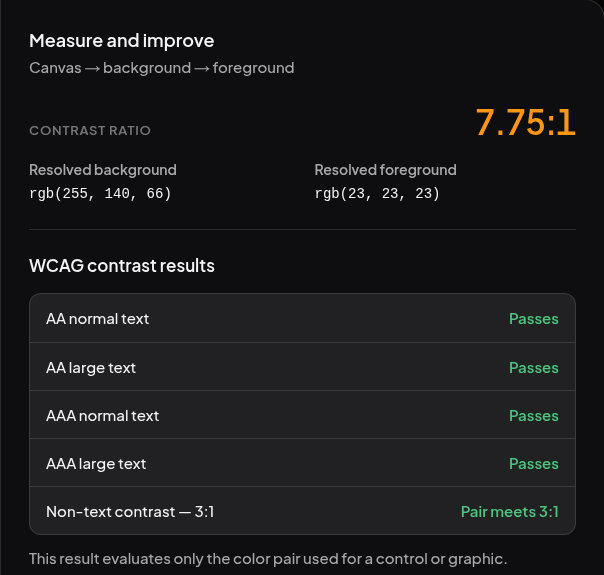
Suppose you want a label on your website to match the orange on a trail sign. Which orange should you copy, and will white lettering be readable on it? You can answer both questions using the picture itself. In this example the orange is #FF8C42. Dark text on it measures 7.75:1 for contrast.
Pick one pixel from the picture
- Save the practice trail marker, or use your own logo. Open the Phoenix Image Color Picker, click Choose image, and select the file.
- Click a flat patch of orange inside the sign. Pixel magnifier shows the spot you picked. An edge pixel can be partly transparent, so move a little farther inside if you want the solid color.
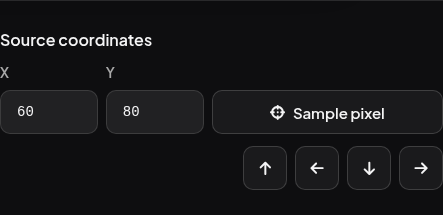
- To pick the exact practice pixel, go to Source coordinates, enter 60 in X and 80 in Y, and click Sample pixel. The coordinates count from the top-left corner of the original image.
- Under Selected pixel values, find HEX / HEXA. Click the copy icon beside it. For the marker, you should get
#FF8C42. If you sample X 5, Y 5 instead, you get#00000000. The final00means that corner is fully transparent. Return to 60, 80 before copying the orange.

Choose the lettering
Open the Phoenix Color Contrast Checker. Paste #FF8C42 into Background and leave both color layers at full opacity. Enter each of the following values in Foreground and read the AA normal text result.
| Text color on the orange | Contrast ratio | Result for ordinary text |
|---|---|---|
White, #FFFFFF | 2.31:1 | Does not pass |
Near-black, #171717 | 7.75:1 | Passes |
The usual WCAG AA minimum for ordinary text is 4.5:1. The white lettering can look crisp on a large graphic and still be hard to read on a small label. W3C guidance on minimum contrast
Apply the two colors to a label
In your page’s HTML, put <span class="trail-label">Woodland loop</span> where you want the label. Add this rule to the stylesheet the page uses, then save and open the page in Live Preview.
.trail-label {
  color: #171717;
  background-color: #ff8c42;
  padding: 0.25em 0.5em;
}
You should see dark lettering on the same orange you picked from the marker. If your real label sits on a photo or uses a translucent overlay, sample and check the background behind the letters as well. Editing colors in Phoenix Code
If the logo is an SVG, you can recolor one shape in its source. If an upload form asks for a JPG, you can replace the transparent corners with your page’s background color.