How to Change an SVG Icon’s Fill and Stroke Colors

To change the color inside an SVG shape, edit its fill. To change the line around it, edit its stroke. Try both on the trail marker below. You’ll start with an orange circle and a white border, then save a green circle with a dark border. The white arrow in the middle keeps its color.
Open the practice icon
Open the Phoenix HTML Editor. In the index.html tab, replace the example code with the block below. Leave Auto-run on, or click Run after an edit. If your screen shows separate panels, select Preview to see the icon.
<!doctype html>
<html lang="en">
<head><title>Trail marker</title></head>
<body>
  <svg xmlns="http://www.w3.org/2000/svg"
       width="160" height="160" viewBox="0 0 80 80"
       role="img" aria-label="Trail marker pointing right">
    <circle cx="40" cy="40" r="32"
            fill="#ff8c42" stroke="#ffffff" stroke-width="6" />
    <path d="M29 40h22m-8-8 8 8-8 8"
          fill="none" stroke="#ffffff" stroke-width="4"
          stroke-linecap="round" stroke-linejoin="round" />
  </svg>
</body>
</html>
Change one part at a time
- Find the line with
<circle. Change itsfillfrom#ff8c42to#237a58. The disc turns green. The arrow stays white. - On that same circle, change
stroke="#ffffff"tostroke="#17382e". A dark green ring appears around the disc. Keepstroke-width="6"so the outline stays visible. - Look at the
<pathbeneath the circle. This is the arrow. Itsfill="none"keeps its interior empty, and its whitestrokedraws the line. To recolor only the arrow in your own version, edit the stroke on this path.
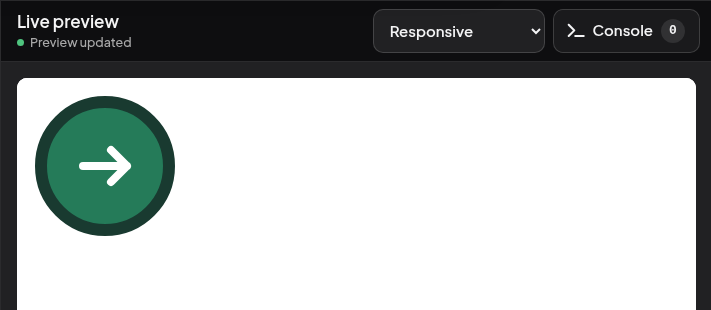
Click Download (the downward arrow) in the editor toolbar. Open the downloaded index.html in your browser. The green disc, dark ring, and white arrow should appear in that copy too. Open a downloaded HTML page in Chrome
My HTML only shows an image tag
If the page contains <img src="images/marker.svg" alt="Trail marker">, the shapes live in images/marker.svg. Open that file in your code editor, find the shape, edit its fill or stroke there, and save. Reload the page that uses the image. A CSS fill on the outer <img> won’t reach the circle inside the separate file. SVG fill and stroke