Emmet
Emmet helps you quickly expand shorthand abbreviations into full code blocks. When you type an Emmet-compatible abbreviation, Phoenix Code displays a code hint with the abbreviation text and a small Emmet icon on the right, indicating that the hint comes from Emmet. Selecting the hint expands it into a complete code snippet.
Phoenix Code includes smart cursor positioning. After expanding an Emmet abbreviation, it automatically places the cursor at the most relevant position so you can start typing immediately. It also adjusts the indentation of the expanded code automatically.
Emmet in Markup Languages
Emmet works in HTML, PHP or HTML-like files such as JSP. Examples:
-
ul>li*2expands to:<ul>
<li></li>
<li></li>
</ul> -
!expands to:<!DOCTYPE html>
<html lang="en">
<head>
<meta charset="UTF-8">
<meta name="viewport" content="width=device-width, initial-scale=1.0">
<title>Document</title>
</head>
<body>
</body>
</html>
Refer to this link to read more about Emmet abbreviations for markup languages.
Visual Reference
Emmet in Stylesheet Languages
Emmet also works in stylesheets (CSS, SCSS, Less). In stylesheets, the Emmet icon acts as a clickable link that opens the corresponding MDN documentation for that property (if available).
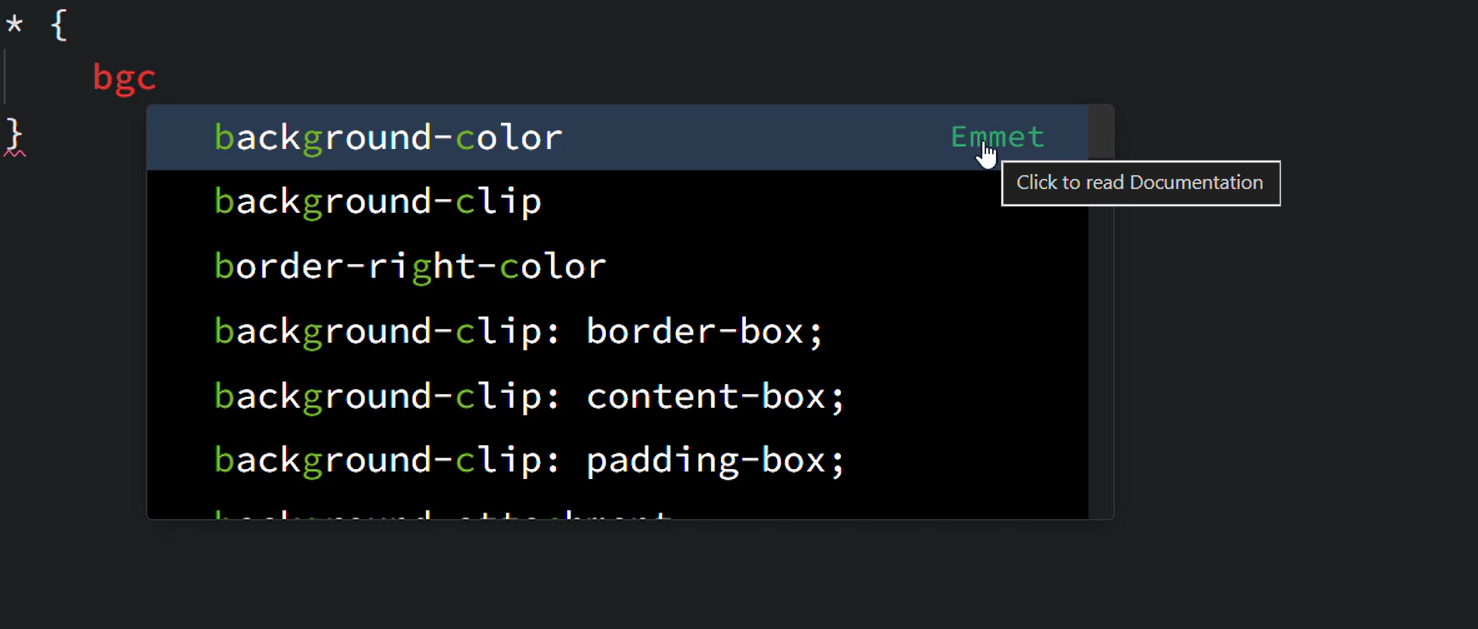
Examples:
-
bgcexpands to:background-color: -
mt10expands to:margin-top: 10px;
Refer to this link to read more about Emmet abbreviations for stylesheets.
Visual Reference
Enabling/Disabling Emmet
To enable or disable the Emmet feature, go to Edit > Emmet.
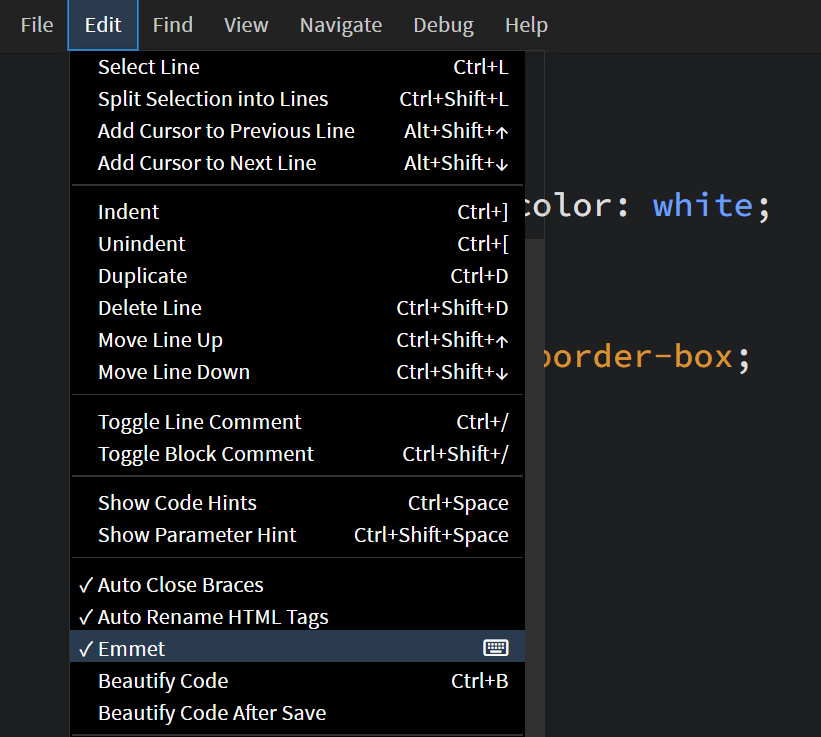
You can also toggle Emmet by updating the emmet property in the preferences file.
See Editing Preferences for more details.
FAQ
Q. What happens if I try to expand a very large abbreviation?
Phoenix Code supports large Emmet expansions but applies limits to keep the app stable.
-
Maximum repeat count: 400 Example:
ul>li*10000creates at most 400lielements. -
Maximum word expansion: 100,000 words Example: Phoenix Code sets a limit of 100,000 words. The hint will not appear if the abbreviation exceeds this limit.
lorem100000works butlorem100001does not.