PHP Live Preview Setup
This page covers running PHP pages in the Live Preview. For PHP editing features like completions and error checking, see PHP Code Intelligence.
Setting up Live Preview for PHP projects is straightforward with Apache and XAMPP. Below are the installation and configuration steps for each operating system:
- Windows
- Linux
- macOS
Steps for Windows
- Download and install XAMPP from Apache Friends.
- Open the XAMPP Control Panel.
- Modify the
httpd.conffile located atC:\xampp\apache\conf\httpd.conf:DocumentRoot "C:/path/to/your/project"
<Directory "C:/path/to/your/project">
</Directory> - Save the updated configuration.
- Restart the Apache server through the XAMPP Control Panel.
Steps for Linux
- Download and install XAMPP from Apache Friends.
- Open the XAMPP Control Panel by running
sudo /opt/lampp/lampp startin your terminal. - Modify the
httpd.conffile located at/opt/lampp/etc/httpd.conf:DocumentRoot "/path/to/your/project"
<Directory "/path/to/your/project">
</Directory> - Save the updated configuration.
- Restart the Apache server through the XAMPP Control Panel.
Steps for macOS
- Download and install XAMPP from Apache Friends.
- Open the XAMPP manager from your Applications folder.
- Modify the
httpd.conffile located at/Applications/XAMPP/xamppfiles/etc/httpd.conf:DocumentRoot "/path/to/your/project"
<Directory "/path/to/your/project">
</Directory> - Save the updated configuration.
- Restart the Apache server through the XAMPP Control Panel.
- Add the following settings to your custom Live Preview:
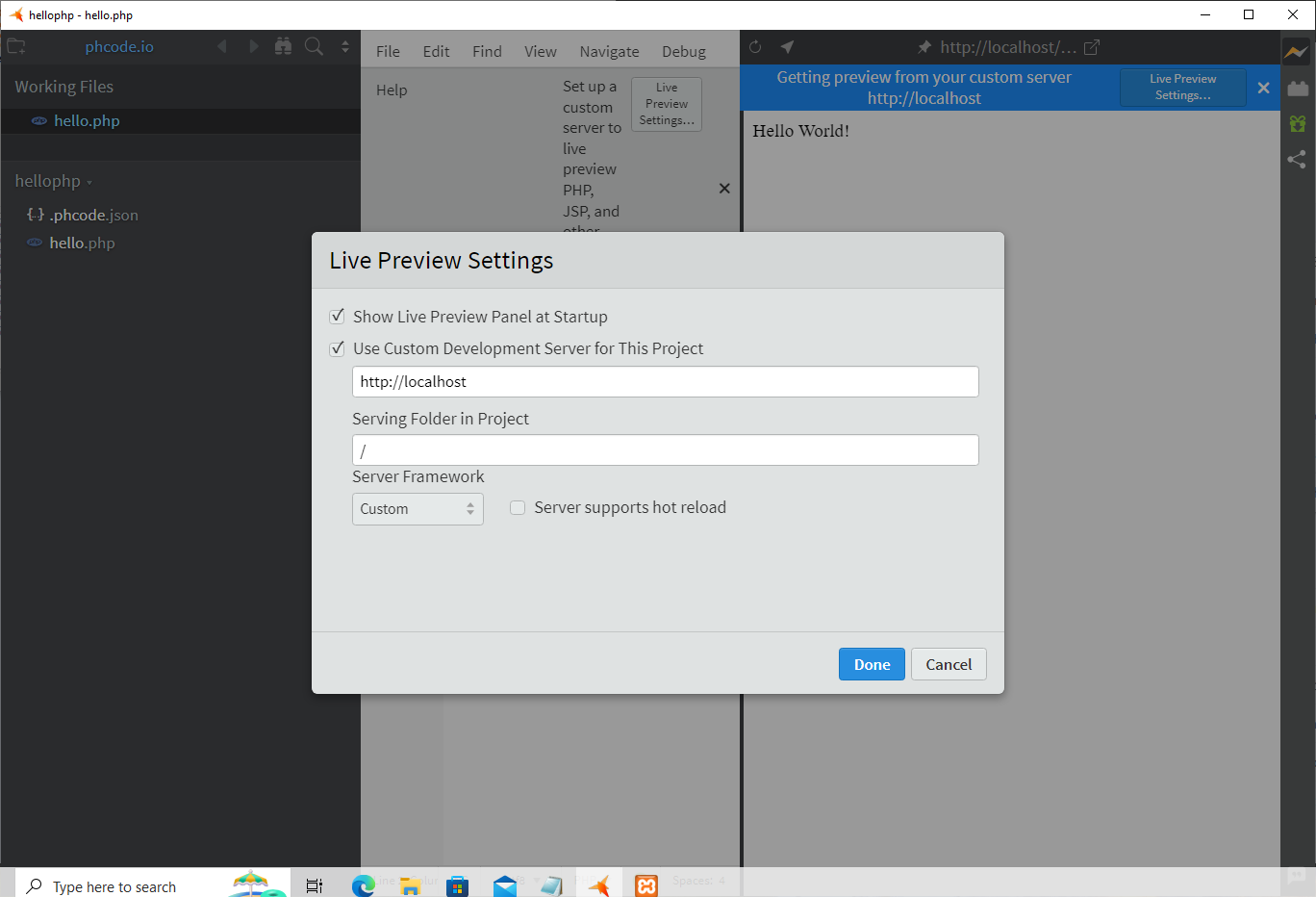 Your Live Preview should now automatically update to reflect changes whenever PHP files are edited.